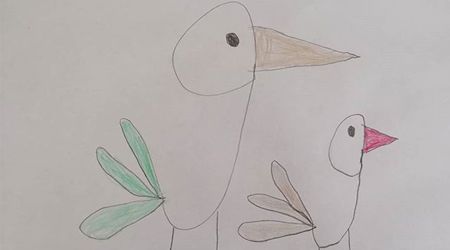
The most fun and lasting way to teach children numbers is through artistic activities! Making a stork from the number 9 is a highly practical math-art integration activity for preschool and elementary school children that helps them recognize numerical symbols while developing their drawing skills and imagination.
Required Materials
White Drawing Paper: A size suitable for drawing.
Pencil and Eraser: To create the initial sketch and correct mistakes.
Colored Pencils: Dry or felt-tip pens to color the beak, tail feathers, and legs.
How to Implement the Activity? (Step by Step)
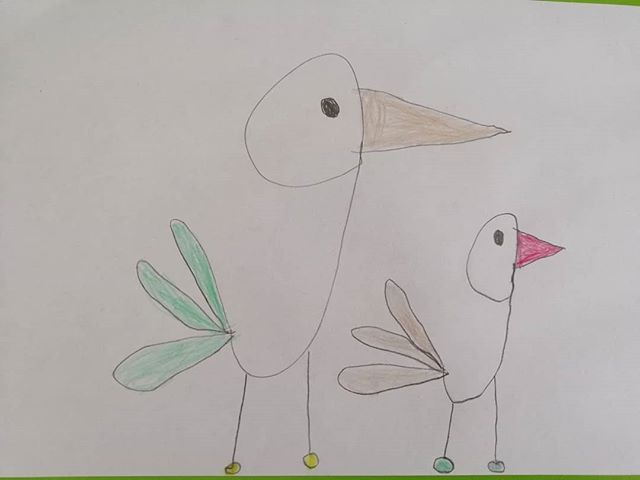
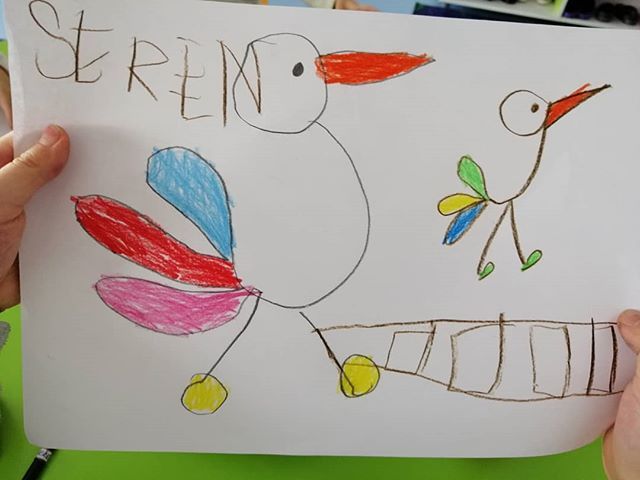
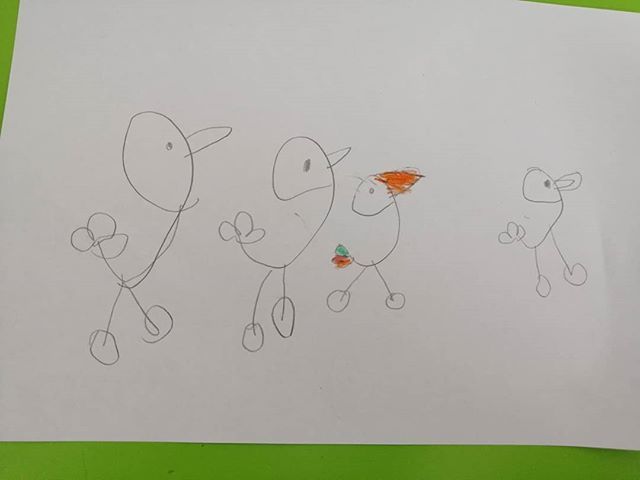
Draw the Number 9: Draw a large "9" on the paper. The rounded top part of the number 9 will form the stork's head, and the downward-pointing tail will form its neck and body outline.
Add Beak and Eyes: Place a small eye dot inside the rounded part and draw a long, pointed beak characteristic of storks on the front.
Complete Tail Feathers: Create the stork's wing and tail details by adding a few leaf/feather-shaped lines towards the back of the body.
Draw Legs: Draw the stork's characteristic legs by drawing two long, thin lines downwards from the bottom of the body.
Color: Complete the drawing by coloring the beak brown/red, and the tail feathers and leg details with your desired colors. (You can also create a mother and baby stork pair using uppercase and lowercase 9s as shown in the image!)
Benefits for Children
Number and Symbol Recognition: Improves number recall skills by visualizing the shape of the number 9 in the mind.
Fine Motor and Hand-Eye Coordination: Strengthens finger muscles while drawing circular and straight lines with a pencil.
Creative Thinking: Fosters the ability to transform abstract symbols (numbers) into concrete objects (animals).
Self-Confidence and Focus: Creating a complex living figure with simple steps supports children's sense of accomplishment.